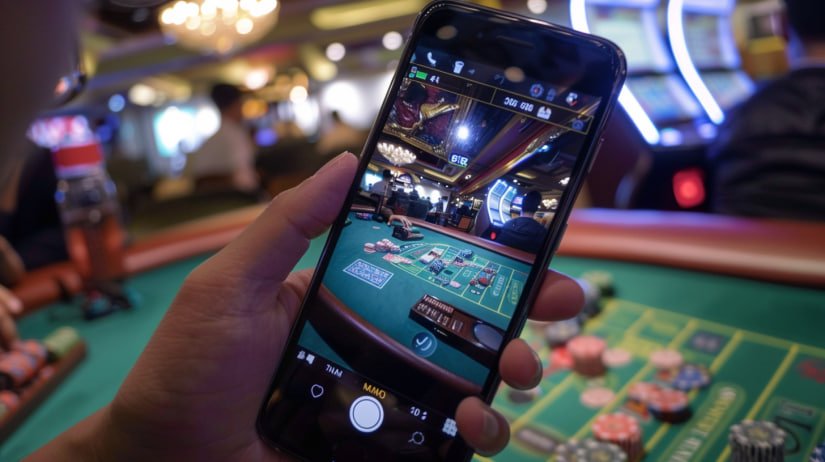
Keep 584bet always at hand on your phone. Bet on football, play in the Live Casino and explore Fish Games right from your smartphone — with the same quality as the desktop version.

Most Brazilians today access the internet on their phones — and betting by smartphone has become completely natural. The 584bet understood this early and invested in a mobile experience that goes beyond simply adapting the desktop version to a smaller screen.
The app was built to perform well under real usage conditions in Brazil: 4G connections that vary in quality, phones with limited memory, and users who are often watching the game while betting at the same time. The interface is clean, loading is fast, and the main features are always just one tap away.
Whether you are an Android or iPhone user, you will find a consistent experience. And for those who prefer not to install anything, direct access through your phone's browser also works great — with the same account, the same balance and all the same game options.
On this page you will find complete instructions to download, install and start using the 584bet on your device.
Three ways to play — choose the one that works best for you
To install the APK, you need to enable the option "Unknown sources" or "Install apps from other sources" in your Android settings. See the step-by-step guide below.
On your iPhone, open the site in Safari, tap "Share" and select "Add to Home Screen". The 584bet icon will appear as a native app.
The browser version has all the same features as the app. Ideal for those who don't want to use storage on their phone or prefer to keep everything in the browser.
The APK installation of 584bet on Android is simple, but there is an initial step that many people don't know about: enabling permission to install apps from outside the Play Store. Here is the complete guide:
Open your phone's Settings, go to Security or Privacy and look for the option "Install apps from unknown sources" or "Unknown sources".
On newer Android versions (8+), the permission is set per app. Grant it to the browser you'll use to download the APK — usually Chrome or Samsung Internet.
Click the 584bet download button on this page. The APK file will be automatically downloaded to your phone's downloads folder.
Go to the downloads folder, tap the APK file and confirm the installation. The process takes less than a minute. Then just open the app and log in.
If you already have an account, enter your email and password. If it is your first time, create your account for free by providing your name, email and CPF. Then deposit via Pix and start playing.
Yes. The APK file available on this page is the official 584bet app, developed by the platform itself. Always make sure to download it from this official page to ensure you are using the latest, unmodified version.
On iPhone and iPad, the App Store does not allow this type of app directly. But there is a very convenient way to have the 584bet on your home screen, working like an app — no installation needed:
On your iPhone or iPad, open the Safari browser (not Chrome). Go to the official 584bet address.
On the bottom bar of Safari, tap the share icon (square with an arrow pointing up). A menu will appear on the screen.
Scroll the menu and tap "Add to Home Screen". You can edit the shortcut name and confirm.
The 584bet icon will appear on your home screen just like an app. When you open it, you will have the full browsing experience with no address bar.
See the practical differences between each way to access 584bet:
| Feature | App | Browser | Desktop |
|---|---|---|---|
| Sports Betting | |||
| Live Casino | |||
| Fish Games | |||
| Deposit via Pix | |||
| Push Notifications | Partial | ||
| Installation required | Yes (APK) | ||
| Offline access (partial) | |||
| Automatic updates | Manual/Auto |
Full access to all features, directly on your phone
Bet on the Brasileirão, Copa do Brasil, Libertadores, volleyball, basketball, MMA, and Esports. Live odds updated in real time, right on your phone screen.
Roulette, blackjack and baccarat with real dealers, streamed in high definition. The app is optimized to ensure smooth performance even on 4G networks with variable signal.
Fish games run perfectly in the app — touch-adapted controls, well-rendered graphics, and quick rounds that fit into any break in your day.
Deposit and withdraw in BRL via Pix without leaving the app. The process is handled within the platform, with no redirects, and the balance appears in your account instantly.
Receive alerts about games you are betting on, results, promotions and processed withdrawals — without having to keep checking the app all the time.
The app supports biometric authentication (fingerprint or Face ID) on compatible devices, making access faster and more secure than typing your password every time.
The app from 584bet was built to work on a wide variety of devices, including entry-level phones. See the minimum requirements for each platform:
For browser access, there are no specific requirements beyond an updated browser (Chrome, Firefox, Safari, Edge) and an internet connection. It works on phones, tablets and computers with no installation required.
Answers to the most common questions
Download the app for Android, add it to your iPhone's home screen, or access via browser — the full 584bet experience is just a tap away.